

Generic filters
Automatic updates Yes
Version 1.37.5
Updated on
Virus Total See Report
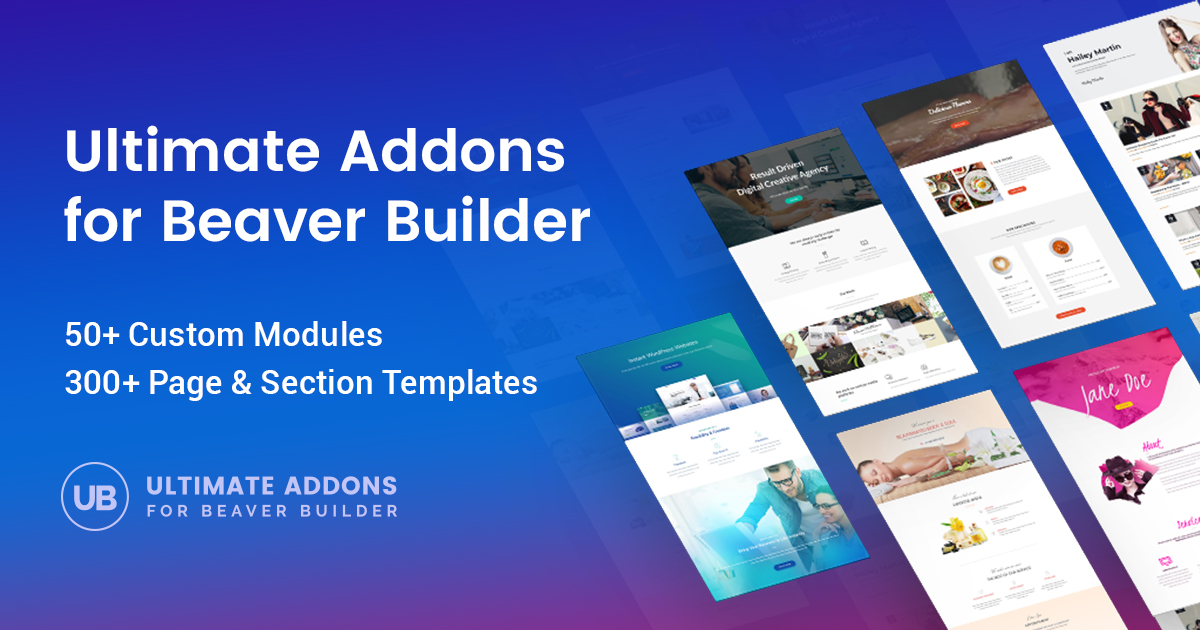
BrainStorm Force Ultimate Addons for Beaver Builder enhances your WordPress site with advanced modules, templates, and design options. It seamlessly integrates with Beaver Builder, offering a user-friendly experience to create stunning, professional websites effortlessly.

How to download BrainStorm Force Ultimate Addons for Beaver Builder

Unlimited Access

Subscribe for only €10.90

Or

Get this product only with unlimited updates

Already included languages : EN, DE, ES, FR, NL

We are not affiliated with BrainStorm Force Ultimate Addons for Beaver Builder nor its developers or owners. Please read the full disclaimer in footer.

HOW IT WORKS

Auto updates with Club WPress plugin

Check how to install and update your WordPress plugins and themes in ONE CLICK directly from your Dashboard.

ClubWordPress Updater Plugin


BrainStorm Force Ultimate Addons for Beaver Builder

WordPress has revolutionized the way websites are built and managed. Among the plethora of tools and plugins available, BrainStorm Force Ultimate Addons for Beaver Builder stands out as a powerful extension that enhances the capabilities of the Beaver Builder page builder. This article delves into the features, benefits, and reasons why you should consider using this plugin for your WordPress site.

Introduction to Beaver Builder

Before diving into the specifics of the Ultimate Addons, it is essential to understand what Beaver Builder is. Beaver Builder is a popular drag-and-drop page builder plugin for WordPress. It allows users to create custom layouts for their websites without needing to write any code. With its intuitive interface and flexible design options, Beaver Builder has become a favorite among developers and non-developers alike.

What is BrainStorm Force Ultimate Addons for Beaver Builder?

The Ultimate Addons for Beaver Builder is a premium plugin developed by BrainStorm Force. It is designed to extend the functionality of Beaver Builder by adding a wide range of new modules, templates, and design options. This plugin aims to make website building even more accessible and efficient, providing users with the tools they need to create stunning and professional-looking websites.

Key Features

The Ultimate Addons for Beaver Builder offers a plethora of features that can significantly enhance your website-building experience. Here are some of the key features:

  • Advanced Modules: The plugin includes over 60 advanced modules that can be easily integrated into your Beaver Builder layouts. These modules cover a wide range of functionalities, from content creation to design enhancements.
  • Pre-designed Templates: The Ultimate Addons come with a collection of pre-designed templates that can be imported and customized to suit your needs. These templates are designed to save you time and effort, allowing you to create professional-looking pages quickly.
  • White Labeling: For agencies and developers, the white labeling feature allows you to rebrand the plugin with your own branding. This can be particularly useful if you are building websites for clients and want to maintain a consistent brand identity.
  • Responsive Design: All modules and templates are fully responsive, ensuring that your website looks great on all devices, from desktops to smartphones.
  • Performance Optimization: The plugin is optimized for performance, ensuring that your website loads quickly and efficiently. This is crucial for providing a good user experience and improving your site’s SEO.
  • Regular Updates: BrainStorm Force is committed to keeping the Ultimate Addons up-to-date with the latest trends and technologies. Regular updates ensure that you always have access to the latest features and improvements.

Benefits of Using Ultimate Addons for Beaver Builder

There are several benefits to using the Ultimate Addons for Beaver Builder, making it a valuable addition to your WordPress toolkit:

  • Enhanced Functionality: The advanced modules and design options provided by the Ultimate Addons significantly enhance the functionality of Beaver Builder. This allows you to create more complex and feature-rich websites without needing to rely on additional plugins.
  • Time-Saving: The pre-designed templates and intuitive interface make it easy to create professional-looking pages quickly. This can save you a significant amount of time, especially if you are working on multiple projects.
  • Customization: The wide range of modules and design options gives you the flexibility to customize your website to suit your specific needs. Whether you are building a simple blog or a complex e-commerce site, the Ultimate Addons provide the tools you need to achieve your vision.
  • Improved User Experience: The responsive design and performance optimization features ensure that your website provides a good user experience across all devices. This can help to increase engagement and reduce bounce rates.
  • Cost-Effective: By providing a wide range of features in a single plugin, the Ultimate Addons can be a cost-effective solution for enhancing your Beaver Builder experience. This can be particularly beneficial for small businesses and freelancers who need to manage their budgets carefully.

How to Install and Use Ultimate Addons for Beaver Builder

Installing and using the Ultimate Addons for Beaver Builder is a straightforward process. Here is a step-by-step guide to get you started:

Step 1: Purchase and Download

First, you will need to purchase the Ultimate Addons for Beaver Builder from the BrainStorm Force website. Once you have completed your purchase, you will receive a download link for the plugin file.

Step 2: Install the Plugin

To install the plugin, follow these steps:

  • Log in to your WordPress dashboard.
  • Navigate to Plugins > Add New.
  • Click on the Upload Plugin button.
  • Choose the downloaded plugin file and click Install Now.
  • Once the installation is complete, click Activate to enable the plugin.

Step 3: Configure the Plugin

After activating the plugin, you can configure its settings by navigating to Settings > UABB in your WordPress dashboard. Here, you can enable or disable specific modules, import templates, and customize various settings to suit your needs.

Step 4: Start Building

With the Ultimate Addons for Beaver Builder installed and configured, you can start building your website. Simply open the Beaver Builder editor and you will see the new modules and templates available for use. Drag and drop the modules into your layout, customize their settings, and create stunning pages with ease.

Popular Modules in Ultimate Addons for Beaver Builder

The Ultimate Addons for Beaver Builder includes a wide range of modules, each designed to add specific functionality to your website. Here are some of the most popular modules:

  • Advanced Heading: Create eye-catching headings with advanced typography and styling options.
  • Info Box: Display information in a visually appealing box with icons, images, and text.
  • Content Timeline: Showcase your content in a timeline format, perfect for displaying events, milestones, or blog posts.
  • Team Member: Introduce your team members with stylish profile cards that include images, social links, and descriptions.
  • Testimonials: Display customer testimonials in a variety of formats, including sliders and grids.
  • Price Table: Create attractive pricing tables to showcase your products or services.
  • Countdown Timer: Add a countdown timer to create urgency and encourage user action.
  • Modal Popup: Create modal popups to display additional content, forms, or calls to action.

Conclusion

The BrainStorm Force Ultimate Addons for Beaver Builder is a powerful and versatile plugin that can significantly enhance your website-building experience. With its wide range of advanced modules, pre-designed templates, and customization options, it provides the tools you need to create stunning and professional-looking websites with ease. Whether you are a developer, designer, or business owner, the Ultimate Addons for Beaver Builder can help you take your website to the next level.

By investing in this plugin, you can save time, improve user experience, and create feature-rich websites that stand out from the competition. So, if you are looking to enhance your Beaver Builder experience, the Ultimate Addons for Beaver Builder is definitely worth considering.

List of improvements in BrainStorm Force Ultimate Addons for Beaver Builder version 1.37.5

  • Fixed: Advanced Posts Custom post layout repeating the same post on pages using a Beaver Themer layout.
  • Fixed: Row/Column Beaver Builder editor JavaScript error when the Particle Background “Custom” documentation string was translated into a locale containing an apostrophe (e.g., French).
  • Fixed: Google Map Beaver Builder editor failed to open module settings when no Google Maps API key was configured.
  • Version 1.37.4 Monday, 11th May 2026
  • Added: Team Screen Reader Text field on social icons to announce the platform name to assistive technology and resolve the Lighthouse “Links don’t have a discernible name” audit.
  • Fixed: FAQ Schema Shortcodes in question and answer fields rendered literally in the JSON-LD output, and HTML tags from the editor leaked into the structured data.
  • Fixed: Table of Contents Footer headings from Beaver Builder Themer layouts incorrectly listed in the ToC.
  • Version 1.37.3 Thursday, 30th April 2026
  • Improvement: Updated internal libraries to latest version.
  • Fixed: Star Rating WPML translated title not displaying on the frontend.
  • Fixed: WPForms Styler Duplicate dropdown arrow when using WPForms Classic style.
  • Version 1.37.2 Wednesday, 1st April 2026
  • Fixed: LESS Compiler PHP 8+ warning “Undefined variable $ltype_” caused by string interpolation ambiguity in evaluate method.
  • Fixed: Woo Products Pagination breaks with multiple module instances on the same page, causing both modules to jump to the same page number.
  • Fixed: Woo Products Module invisible on frontend when product query returns no results (e.g., imported settings with non-existent category ID).
  • Fixed: Advanced Accordion Duplicate CSS generated for text and icon color properties.
  • Version 1.37.1 Tuesday, 10th March 2026
  • Fixed: Retina Image Alt text from WordPress Media Library not used when Custom Alt Text field is empty.
  • Fixed: SVG Animator – Non-SVG image uploads (JPG, PNG, GIF, etc.) rejected with “not a valid photo extension” error in all Beaver Builder modules.
  • Version 1.37.0 Monday, 9th March 2026
  • New: Added SVG Animator Module.
  • Fixed: Fancy Text Animation effects (type, swirl, blinds, wave, clip) not displaying translated text with TranslatePress plugin.
  • Version 1.36.18, Monday, 16th February 2026
  • Fixed: Testimonials Slider arrow and dot styling broken with latest Beaver Builder update due to navigation elements changing from anchor to button tags.
  • Fixed: Heading Removed incorrect aria-label on linked headings that overrode the visible heading text.
  • Version 1.36.17, Monday, 9th February 2026
  • Fixed: Button color not working correctly after BB 2.10 update.
  • Fixed: Before After Slider module Alt Text not retrived for added images.
  • Version 1.36.16, Thursday, 15th January 2026
  • Added: Cloudflare Turnstile – Added anti-spam protection to Login and Registration form modules.
  • Added: Filter support to Google Map new API to display reviews in a language other than English
  • Added: Responsive Flexibility for Image Carousel Settings.
  • Fixed: Button title attribute for accessibility purpose.
  • Fixed: Advanced Posts module Grid layout breaking when used as saved rows content in Advance Tabs.
  • Version 1.36.15, Wednesday, 10th December 2025
  • Fixed: Resolved the issue for function _load_textdomain_just_in_time was called incorrectly.
  • Fixed: Interactive Banner 1 – Resolved hover layout issue where long descriptions hide the icon and button.
  • Fixed: Off Canvas Fixed Z-index issue.
  • Fixed: Hotspot – Tooltip is now fully accessible via keyboard navigation.
  • Version 1.36.14, Monday, 17th November 2025
  • Added: Advance Timeline Filter uabb_timeline_the_date_format to change date format in Custom Timeline.
  • Fixed: Accordion Fixed the accessibility issue with the UABB Accordion module.
  • Fixed: FAQ Fixed the accessibility issue with the UABB FAQ module.
  • Version 1.36.13, Thursday, 16th October 2025
  • Fixed: Advanced Tabs Clicking on tab links added on same page were not hiding sibling tab content.
  • Fixed: Blog Posts Fatal error coming when taxonomy is not there.
  • Fixed: FAQ Schema Not showing video when adding embed code in content.
  • Fixed: Progress Bar – Default value now set to 0% on frontend and 50% in editor preview.
  • Fixed: Photo Gallery Lightbox not coming properly when used as saved module content in Modal popup Module.
  • Version 1.36.12, Tuesday, 19th August 2025
...
>
Other versionsDateDownload
Download BrainStorm Force Ultimate Addons for Beaver Builder 1.37.45202620 Join Now
Download BrainStorm Force Ultimate Addons for Beaver Builder 1.37.301/03/1970 Join Now
Download BrainStorm Force Ultimate Addons for Beaver Builder 1.37.211/05/2026 Join Now
Download BrainStorm Force Ultimate Addons for Beaver Builder 1.37.105/11/2026 Join Now
Download BrainStorm Force Ultimate Addons for Beaver Builder 1.37.002/05/1970 Join Now
Download BrainStorm Force Ultimate Addons for Beaver Builder 1.36.1802/05/1970 Join Now
Download BrainStorm Force Ultimate Addons for Beaver Builder 1.36.1703/10/2026 Join Now
Download BrainStorm Force Ultimate Addons for Beaver Builder 1.36.1603/10/2026 Join Now
Download BrainStorm Force Ultimate Addons for Beaver Builder 1.36.1510/02/2026 Join Now
Download BrainStorm Force Ultimate Addons for Beaver Builder 1.36.1410/02/2026 Join Now
Download BrainStorm Force Ultimate Addons for Beaver Builder 1.36.1311/12/2025 Join Now
Download BrainStorm Force Ultimate Addons for Beaver Builder 1.36.1211/12/2025 Join Now
Download BrainStorm Force Ultimate Addons for Beaver Builder 1.36.1104/05/1970 Join Now
Download BrainStorm Force Ultimate Addons for Beaver Builder 1.36.1011/12/2025 Join Now
Download BrainStorm Force Ultimate Addons for Beaver Builder 1.36.911/12/2025 Join Now
Download BrainStorm Force Ultimate Addons for Beaver Builder 1.36.803/12/1970 Join Now
Download BrainStorm Force Ultimate Addons for Beaver Builder 1.36.712/03/1970 Join Now
Download BrainStorm Force Ultimate Addons for Beaver Builder 1.36.605/06/2025 Join Now
Download BrainStorm Force Ultimate Addons for Beaver Builder 1.36.506/05/2025 Join Now
Download BrainStorm Force Ultimate Addons for Beaver Builder 1.36.405/06/2025 Join Now

Join Club WPress Now !

Get access to 19367 products for only €10,90 per month.

JOIN NOW

Reviews

  1. This plugin significantly enhances Beaver Builder with a variety of useful modules and templates.
  2. Ultimate Addons for Beaver Builder offers excellent customization options, making it easier to create unique designs.
  3. The support team behind this plugin is very responsive and helpful, ensuring a smooth user experience.