



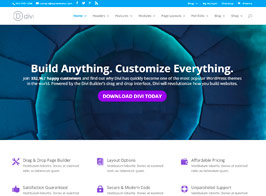

Core Features of Divi 4
- Visual Builder: An intuitive front-end editor that allows you to design pages visually.
- Responsive Editing: Design and customize your website to be fully responsive on all devices.
- Customizable UI: A flexible user interface that can be tailored to fit your workflow.
- Global Elements & Styles: Manage and sync global elements and design settings across your site.
- Advanced Design Settings: Extensive design options for customizing every element on your site.
- Pre-made Layouts: Access to a library of professionally designed layouts to jumpstart your design process.
- Theme Builder: Create custom headers, footers, and body layouts for different parts of your site.
- WooCommerce Integration: Seamlessly integrate and customize WooCommerce elements and pages.
- Dynamic Content: Use dynamic content to create templates for posts, products, and more.
- Role Editor: Control what your clients or team members can access within the Divi Builder.
- Multilingual Support: Compatible with popular translation plugins for creating multilingual sites.
- Custom CSS Control: Add custom CSS directly within the builder for advanced customization.
- Inline Text Editing: Edit text content directly on the page without opening a settings panel.
- Draggable Widths: Adjust the width of elements directly on the page by dragging.
- Find & Replace Styles: Quickly find and replace design settings across your entire site.
- Hover State Styling: Create hover effects and transitions for any element.
- Shape Dividers: Add custom shapes and effects to section dividers.
- Bulk Editing: Make changes to multiple elements at once for efficient design updates.
- Save & Manage Your Designs: Save your designs and layouts for reuse across your site.
- Custom Fonts & Text Styles: Access a wide range of fonts and typography settings.


