Generic filters
Automatic updates Yes
Version 3.0.0
Updated on
Virus Total See Report

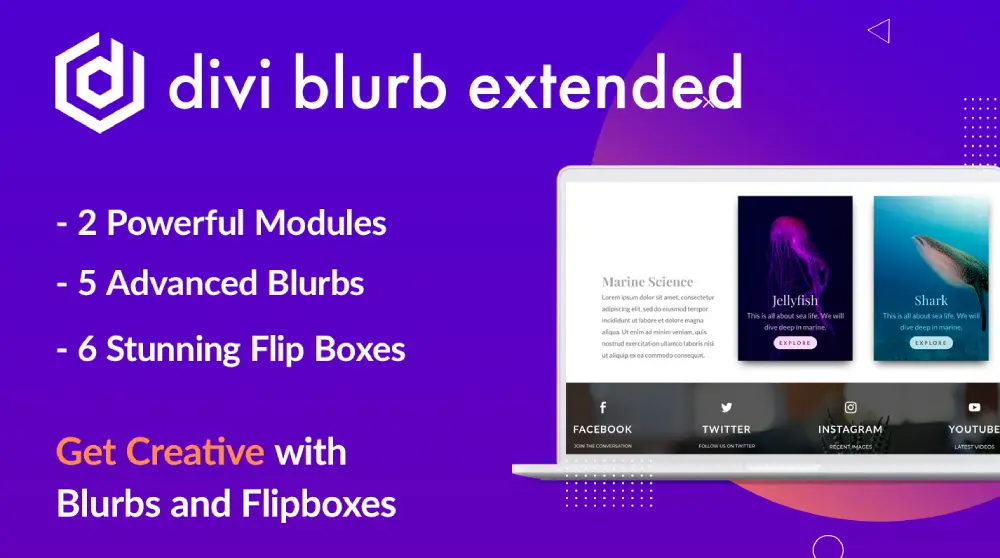
With the Divi Extended | Divi Blurb Extended plugin, we transform our websites into captivating realms. It enhances Divi's blurb module, offering us unique layouts, and animations. We can effortlessly create visually stunning, interactive blurbs. Let's elevate our design game, and captivate our audience with this ingenious tool.

How to download Divi Extended | Divi Blurb Extended

Unlimited Access

Subscribe for only €10.90

Or

Get this product only with unlimited updates

Already included languages : EN, US

We are not affiliated with Divi Extended | Divi Blurb Extended nor its developers or owners. Please read the full disclaimer in footer.

HOW IT WORKS

Auto updates with Club WPress plugin

Check how to install and update your WordPress plugins and themes in ONE CLICK directly from your Dashboard.

ClubWordPress Updater Plugin

Core Features of Divi Extended | Divi Blurb Extended

  • Advanced Blurb Modules: Enhance the standard Divi blurb module with additional features and customization options.
  • Multiple Layouts: Choose from a variety of pre-designed layouts to display blurbs in different styles.
  • Icon and Image Support: Use icons or images to represent the blurb content effectively.
  • Customizable Design: Easily customize the design elements such as colors, fonts, and sizes to match your website’s theme.
  • Hover Effects: Add interactive hover effects to make blurbs more engaging.
  • Animation Options: Incorporate animations to bring your blurbs to life.
  • Responsive Design: Ensure that blurbs look great on all devices with responsive design options.
  • Easy Integration: Seamlessly integrate with the Divi Builder for a smooth editing experience.
  • Custom CSS Support: Add custom CSS for further customization and styling.
  • Regular Updates: Receive regular updates to ensure compatibility with the latest version of Divi and WordPress.

List of improvements in Divi Extended | Divi Blurb Extended version 3.0.0

  • = 3.0.0 =
  • Release date: 12th March 2026
  • ADDED: Compatibility with Divi 5 while maintaining backward support for Divi 4.
  • = 2.2.10 =
  • Release date: 14th February 2024
  • FIXED: 3D Flipbox was stopped working in the latest safari version.
  • IMPROVEMENT: Compatible with the latest version of the WordPress.
  • = 2.2.9 =
  • Release date: 11th August 2023
  • FIXED: Module was not loading on builder.
  • = 2.2.8 =
  • Release date: 8th August 2023
  • FIXED: An error was coming in borderbox layout in few cases.
  • = 2.2.7 =
  • Release date: 20th May 2022
  • ADDED: ‘Update URI’ plugin header check that can be used to avoid update conflicts with plugins sold on the Divi Marketplace and the ones sold on the DiviExtended website.
  • = 2.2.6 =
  • Release date: 26th April 2022
  • IMPROVEMENT: Compatible with the new Background gradient.
  • = 2.2.5 =
  • Release date: 7th December 2021
  • FIXED: ‘NOTICE’ Required parameter $render_slug follows optional parameter $content.
  • IMPROVEMENT: Support for newly added icons by Divi.
  • IMPROVEMENT: Minor CSS fixes.
  • = 2.2.4 =
  • Release date: 24th August 2021
  • FIXED: Flip effect when Flip Direction is Diagonal.
  • IMPROVEMENT: Compatible with Divi v4.10.
  • IMPROVEMENT: Minor CSS fixes.
  • = 2.2.3 =
  • Release date: 16 March 2021
  • FIXED: Error on the builder when using border box layout custom padding.
  • IMPROVEMENT: Improved update mechanism.
  • = 2.2.2 =
  • Release date: 29 December 2020
  • ADDED: Imagesloaded support.
  • = 2.2.1 =
  • Release date: 8 July 2020
  • ADDED: Fixed Diagonal Flip was not working in some cases.
  • = 2.2.0 =
  • Release date: 8 July 2020
  • ADDED: 3 New Layouts in Advanced Flip Box Module.
  • ADDED: 4 New Flip Styles in “Flip” layout of Advanced Flip Box Module.
  • = 2.1.0 =
  • Release date: 18 Feb 2020
  • ADDED: New Layout(Layout3) in Advanced Flip Box Module.
  • FIXED: Image container display in Advanced Flip Box while the image was not uploaded.
  • FIXED: Image size issue while setting the position of the image, left or right.
  • FIXED: Ease box icon display issue on hover state.
  • FIXED: ‘Borderbox’ and ‘Image Card’ layout for responsive icon font-size and padding.
...
>

Join Club WPress Now !

Get access to 19367 products for only €10,90 per month.

JOIN NOW

Reviews