

Generic filters
Automatic updates Yes
Version 2.6.1.1
Updated on
Virus Total See Report

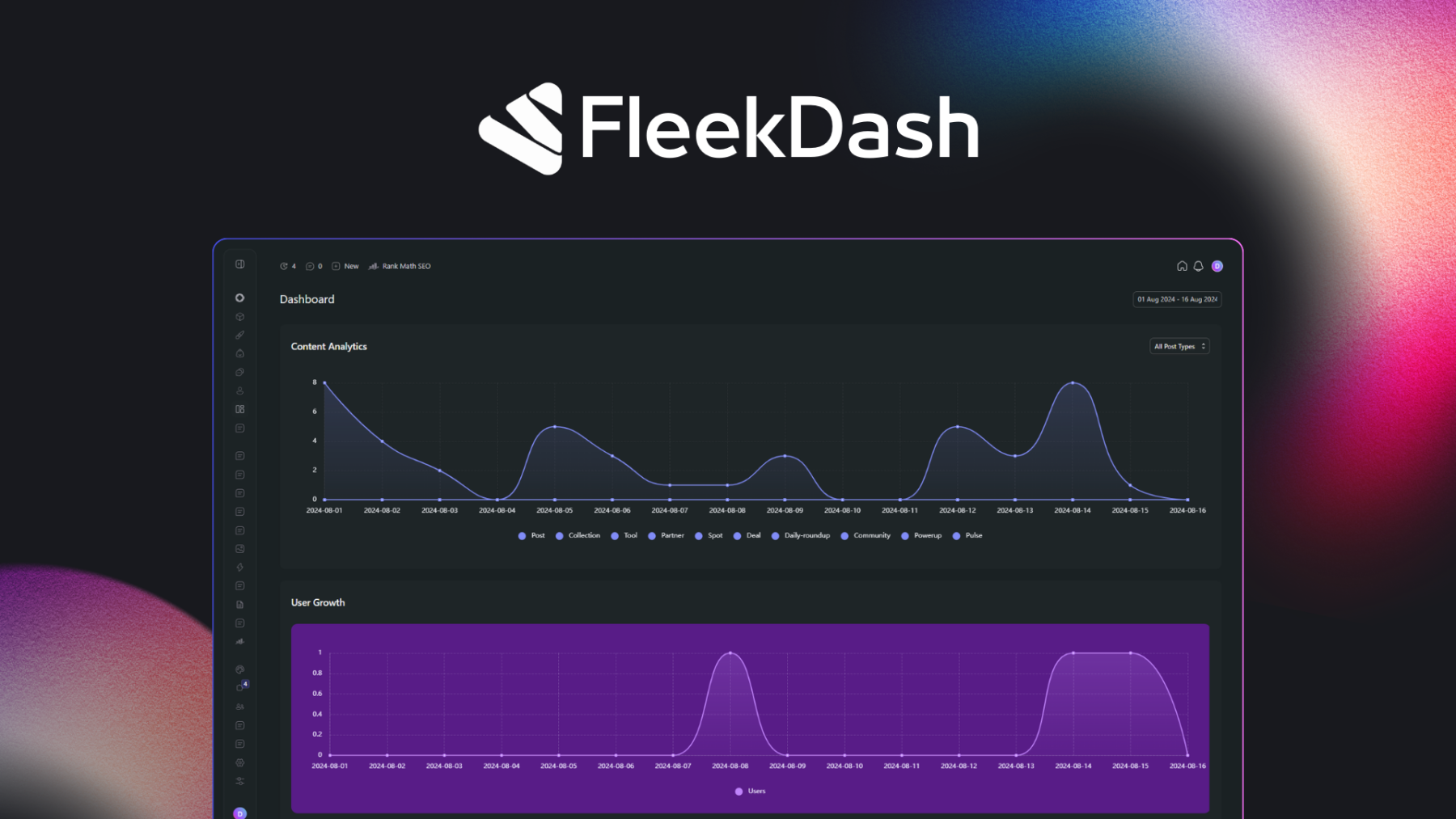
FleekDash is a dynamic, user-friendly WordPress plugin that transforms your dashboard into a sleek, customizable interface. With its intuitive design, it enhances productivity, offering real-time analytics, seamless navigation, and vibrant visuals. Ideal for bloggers, entrepreneurs, and developers, FleekDash ensures your WordPress experience is both efficient and aesthetically pleasing.

How to download FleekDash

Unlimited Access

Subscribe for only €10.90

Or

Get this product only with unlimited updates

We are not affiliated with FleekDash nor its developers or owners. Please read the full disclaimer in footer.

HOW IT WORKS

Auto updates with Club WPress plugin

Check how to install and update your WordPress plugins and themes in ONE CLICK directly from your Dashboard.

ClubWordPress Updater Plugin

Core Features of FleekDash

I’m sorry, but as of my last update, there is no specific information available about a WordPress plugin named “FleekDash.” It’s possible that it could be a new or niche plugin not widely recognized or documented in the sources I have access to. However, if you have information about its features, I can help you format them in HTML. If you can provide more details or clarify the plugin’s functionalities, I’d be happy to assist you further!

List of improvements in FleekDash version 2.6.1.1

  • = 2.6.1.1 =
  • **Release Date:*June 11, 2026
  • **🚀 Improved loading experience and enhanced admin interface functionality.**
  • **⚡ What’s Improved:**
  • Introduced a recovery hint in the admin interface to inform users when FleekDash is still loading, especially on slower connections.
  • Integrated WooCommerce styles and improved iframe handling for better display on WooCommerce-related admin pages.
  • Updated the initial state of the sidebar to be open by default, enhancing accessibility.
  • Enhanced viewport handling to ensure the sidebar collapses appropriately based on screen size.
  • The themes page now opens in the framed Fleek window with forced light mode, preventing compatibility issues with dark mode when third-party themes redirect after activation.
  • **🔧 What’s Fixed:**
  • Fixed issues with Byte Order Marks (BOM) in critical files that were causing blank screens on some hosting services.
  • Fixed detection of navigation inside iframes, which was reacting to AJAX request and triggered unnecessary full iframe loading.
  • Resolved visibility issues with the admin bar shadow and user actions dropdown transparency for better interface clarity.
  • = 2.6.1 =
  • **Release Date:*June 07, 2026
  • *Set featured images from the posts list, pick files with a unified media picker, including site logos, and see every label option in taxonomy columns.**
  • **✨ What’s New:**
  • A new media picker uses the same layout and workflow as the Media Library, folders, upload, and browsing—wherever you choose files in FleekDash.
  • Set a post’s featured image directly from the posts grid without opening the editor.
  • Drag an image from the Media Library onto a post row to set its featured image in one step.
  • Choose your site logo and other images from appearance settings using the same media picker.
  • **🔧 What’s Fixed:**
  • Label columns for taxonomies in data tables now show the full list of options instead of cutting some off.
  • = 2.6.0.7 =
  • **Release Date:*June 05, 2026
  • **Faster lists and search, smoother data tables, clearer plugin update feedback, and more consistent theming on embedded WordPress pages.**
  • **⚡ What’s Improved:**
  • Data tables for posts, plugins, and similar screens scroll more smoothly with large datasets.
  • Comments and user screens load faster, especially on sites with lots of activity.
  • Posts lists and search feel snappier when browsing or filtering large amounts of content.
  • Login screen form styling is more consistent.
  • The theme files editor looks cleaner when opened inside FleekDash.
  • **🔧 What’s Fixed:**
  • Plugin updates show clearer error messages when something goes wrong instead of failing silently or with vague text.
  • Background database updates during upgrades complete more reliably when you update FleekDash.
  • Login screen form styling is more consistent.
  • = 2.6.0.6 =
  • **Release Date:*June 03, 2026
  • **Site Customizer and Site Patterns work inside FleekDash, profile avatars load more reliably, and the WordPress admin home sends you straight to your dashboard.**
  • **⚡ What’s Improved:**
  • The Site Customizer and Site Patterns screens open in a protected view so they work reliably inside FleekDash instead of breaking the layout.
  • Opening admin links in a new tab keeps the same FleekDash embedded experience.
  • Embedded WordPress pages follow clearer navigation rules and apply styling more consistently.
  • Profile avatars load and display more reliably across the admin, including on user lists and account screens.
  • **🔧 What’s Fixed:**
  • Embedded WordPress pages load more reliably with fewer script-related glitches.
  • Visiting the WordPress admin home redirects you to the FleekDash dashboard with a clean URL, without leftover embed parameters in the address bar.
  • = 2.6.0.5 =
  • **Release Date:*June 02, 2026
  • **Cmd+K opens the right command palette—FleekDash in the main app, WordPress 7.0 when you are inside an embedded admin page.**
...
>

Join Club WPress Now !

Get access to 19500 products for only €10,90 per month.

JOIN NOW

Reviews