Generic filters
Automatic updates Yes
Version 1.2.2
Updated on
Virus Total See Report

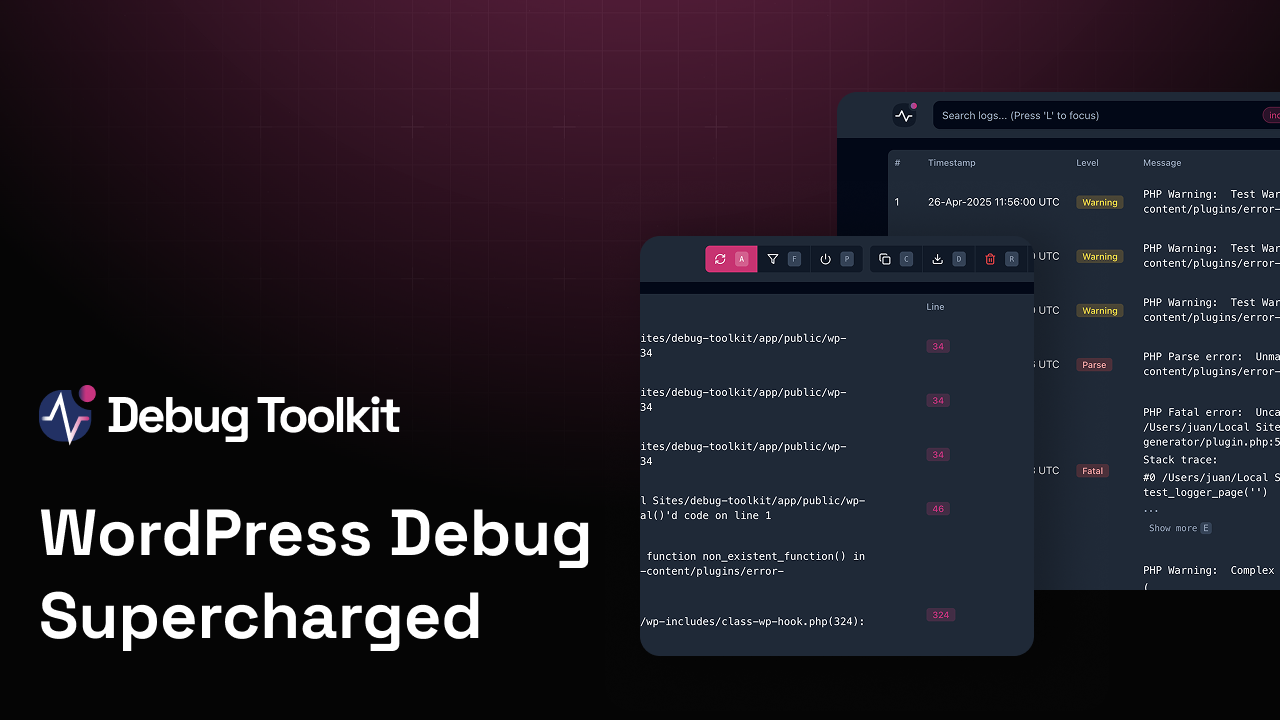
WP Debug Toolkit Pro is a powerful, user-friendly plugin for WordPress, designed to simplify debugging. It offers real-time, comprehensive error tracking, and detailed logging. With its intuitive interface, developers can swiftly identify, and resolve issues, enhancing website performance. This indispensable tool, with its robust features, ensures a seamless, efficient debugging experience for both novices and experts.

How to download WP Debug Toolkit Pro

Unlimited Access

Subscribe for only €10.90

Or

Get this product only with unlimited updates

We are not affiliated with WP Debug Toolkit Pro nor its developers or owners. Please read the full disclaimer in footer.

HOW IT WORKS

Auto updates with Club WPress plugin

Check how to install and update your WordPress plugins and themes in ONE CLICK directly from your Dashboard.

ClubWordPress Updater Plugin

Core Features of WP Debug Toolkit Pro

  • Feature 1: Description of feature 1.
  • Feature 2: Description of feature 2.
  • Feature 3: Description of feature 3.
  • Feature 4: Description of feature 4.
  • Feature 5: Description of feature 5.
  • Feature 6: Description of feature 6.
  • Feature 7: Description of feature 7.
  • Feature 8: Description of feature 8.
  • Feature 9: Description of feature 9.
  • Feature 10: Description of feature 10.

List of improvements in WP Debug Toolkit Pro version 1.2.2

  • = 1.2.2 =
  • Fix: Viewer login failing on hosts that strip cookies from API responses
  • Fix: Blocklist typo and missing entries left rate-limit.db, viewer-settings.db, and rate-limit.json readable via the file viewer endpoint
  • Security: Global rate-limit floor on viewer auth — protects against rotating-IP brute-force attempts
  • = 1.2.1 =
  • Fix: Plugin updates failing with “Unauthorized” for Early Supporter / legacy licenses
  • Fix: open_basedir warnings flooding the PHP error log on non-Flywheel hosts with restrictive open_basedir
  • = 1.2.0 =
  • New: Time-limited query recording with shareable URLs and automatic stop — record queries on demand instead of leaving capture always on
  • New: Group duplicate log entries toggle with count badges in the viewer
  • New: Performance warnings on Overview page when debug mode or query logging is enabled
  • New: Proxy and CDN support — disable IP binding toggle for proxied environments, with Cloudflare and Akamai header detection
  • New: Manage session IP binding from the WordPress admin Viewer Settings tab
  • New: View and clear rate-limited IPs from the WordPress admin Viewer Settings tab
  • New: Flywheel hosting compatibility
  • New: wp-config.php writability diagnostics in Site Health with safe temporary permission elevation
  • New: `wp dbtk api` command group — discover, list, show, search, call, edit, export, import, and bootstrap REST API endpoints from the terminal
  • New: Semantic annotation layer for `wp dbtk api edit` — method-level descriptions, safety classification, auth notes, return-shape notes, tags, and verification markers; persisted across discovery rescans
  • New: `wp dbtk api export` / `import` for portable annotation packs with merge and replace-source modes
  • New: `wp dbtk api bootstrap` — generate a Markdown brief of a plugin’s endpoints for fresh agent sessions
  • New: `wp dbtk query-log start/stop/status/read` commands for recording control and query analysis from the terminal
  • New: `wp dbtk log read` command for filtered debug log reading from the terminal
  • New: `–summary` and `–memory` flags for `wp dbtk query-log read` — view per-page performance overview and memory usage from recordings
  • New: `–profile` flag on `wp dbtk api call` with `full`, `queries`, and `summary` modes
  • New: CLI documentation suite — setup guide, usage guide, command reference, AI assistant guide, REST endpoint profiling guide
  • New: Q keyboard shortcut to open the query recording dialog, with a shortcut badge on the Record button
  • New: Reinstall Viewer action on the Overview page — regenerates viewer files without re-prompting for password; bound to the I shortcut when the viewer is installed
  • New: “Always Logging” warning pill with tooltip on the Database Queries card when SAVEQUERIES or enhanced logging is persistently enabled
  • Improved: Lazy-load services — deferred to point-of-use instead of eager init on every request
  • Improved: Cache health check results for 5 minutes with auto-invalidation on settings change
  • Improved: Faster admin page loads — cache license API responses and pass initial settings inline to eliminate redundant API calls
  • Improved: Settings now work on hosts with restrictive file permissions via automatic permission elevation and restore
  • Improved: Actionable error messages for admin users when settings fail to save
  • Improved: Replace SAVEQUERIES with filter-based query capture for safer API endpoint profiling
  • Security: Harden standalone viewer — add execution guard, expand blocked files list, and add directory listing protection
  • Security: Tighten wp-config backup file permissions to 0600
  • Security: Strengthen encryption key generation in viewer manager
  • Security: Improve HTTPS detection on local domains
  • Security: Comprehensive security hardening: input validation and sanitization, API response hardening, session and CSRF improvements, data exposure prevention, and cleaner deactivation/uninstall lifecycle
  • Fix: PHP 8.4 deprecation warning for E_STRICT constant in notifications mu-plugin
  • Fix: Session IP binding failures behind load balancers and CDNs
  • Fix: Viewer install no longer blocked by read-only wp-config.php
  • Fix: Graceful degradation when wp-config.php is not writable
  • Fix: Settings page showing the wrong status for debug, query logging, and other toggles
  • Fix: File path detection showing empty in Settings when initial page data is used
  • Fix: Viewer session authentication failing on local HTTP environments
  • Fix: Viewer password status showing the wrong value on the Settings page
  • Fix: Viewer settings modal not closing after a successful save
  • Fix: Viewer theme out of sync between the sidebar toggle and the Settings modal
  • Fix: Viewer sidebar “Keyboard Shortcuts” button now opens the shortcuts reference
...
>

Join Club WPress Now !

Get access to 19346 products for only €10,90 per month.

JOIN NOW

Reviews