

Generic filters
Automatic updates Yes
Version 4.1.16
Updated on
Virus Total See Report

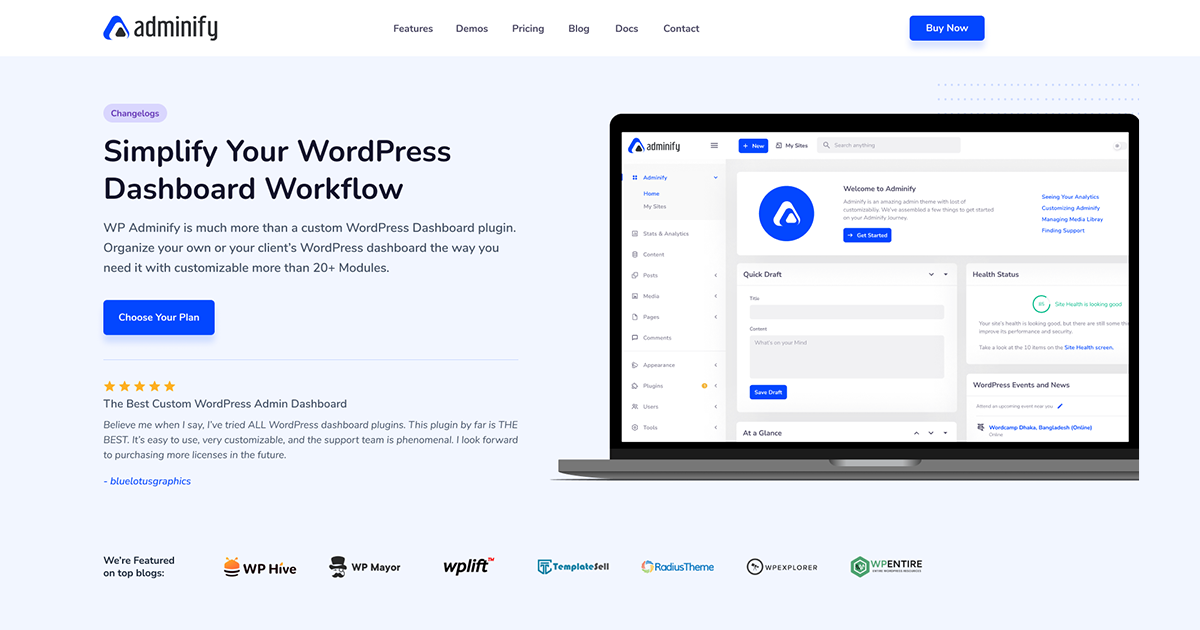
WP Adminify is a powerful, lightweight WordPress plugin that enhances your admin dashboard, offering a sleek, customizable interface. With features like dark mode, menu editor, and activity logs, it simplifies management, boosts productivity, and adds a touch of elegance to your WordPress experience, making it a quintessential tool for developers and site owners alike.

How to download WP Adminify

Unlimited Access

Subscribe for only €10.90

Or

Get this product only with unlimited updates

Already included languages : EN

We are not affiliated with WP Adminify nor its developers or owners. Please read the full disclaimer in footer.

HOW IT WORKS

Auto updates with Club WPress plugin

Check how to install and update your WordPress plugins and themes in ONE CLICK directly from your Dashboard.

ClubWordPress Updater Plugin

Core Features of WP Adminify

  • Dashboard Widgets: Customize and manage your WordPress dashboard widgets for a personalized experience.
  • Admin Columns: Enhance the WordPress admin columns to display additional information and improve data management.
  • Menu Editor: Easily customize the WordPress admin menu to suit your workflow and preferences.
  • Activity Logs: Keep track of all user activities within the WordPress admin for better security and monitoring.
  • Login Customizer: Personalize the WordPress login page with custom designs and branding.
  • Admin Notices: Manage and customize admin notices to reduce clutter and improve focus.
  • Admin Bar: Modify the WordPress admin bar for a cleaner and more efficient interface.
  • Folder Structure: Organize media files with a folder structure for easier management and retrieval.
  • Admin Pages: Create custom admin pages to add additional functionality or information to your WordPress site.
  • Dark Mode: Enable a dark mode for the WordPress admin interface to reduce eye strain.
  • Google Pagespeed Insights: Integrate Google Pagespeed Insights to monitor and improve website performance directly from the admin panel.
  • Post Duplicator: Easily duplicate posts and pages for faster content creation and management.
  • Quick Menu: Access frequently used admin pages and settings quickly through a customizable quick menu.
  • Server Information: View detailed server information and performance metrics directly from the WordPress dashboard.
  • Custom CSS/JS: Add custom CSS and JavaScript to your WordPress site without modifying theme files.

List of improvements in WP Adminify version 4.1.16

  • **Login Redirects & Logout Redirects:*Control exactly where users are sent after they login or logout based on their specific user role. Send customers to their account page, admins to the dashboard, etc.
  • **Disable Comments Globally:*Turn off the native WordPress comment system site-wide. This removes comment fields, hides admin menu items, and closes comments on existing posts.
  • **Control Heartbeat API:*Modify the interval or disable the WordPress Heartbeat API in specific areas (dashboard, post/edit pages, frontend) to reduce server load and CPU usage on high-traffic sites.
  • **Disable Embeds:*Disable WordPress oEmbeds to improve security and prevent external sites from embedding your content without permission.
  • **Clean Up Head Section:*Remove unnecessary code like RSS feed links, RSD (Really Simple Discovery) links, WLW Manifest, shortlink, generator tag, and emoji scripts to reduce bloat and improve security.
  • [Admin Columns Pro Editor](
  • **Add/Remove/Reorder Columns:*Take full control of the list views for posts, pages, and all custom post types. Add new columns for any data point, remove unnecessary columns, and reorder them to match your workflow.
  • **Custom Field Support:*Display values from Advanced Custom Fields (ACF), MetaBox, Pods, and other custom field plugins directly in your admin list tables.
  • **WooCommerce Integration:*Customize columns for WooCommerce post types. Show product SKU, stock status, price, or weight directly in the product list for quick management.
  • **Sortable & Filterable Columns: (upcoming)*Make your custom columns sortable A-Z or numerically and add custom filters to the top of the list tables for powerful data management.
  • **🔌 Expansive Addon System**
  • WP Adminify’s functionality is extended through dedicated addons, many of which are free.
  • **Admin Bar Editor:*Customize the WordPress admin toolbar that appears at the top of the site when logged in.
  • **Activity Logs:*Track every user action on your site, including logins, post changes, option updates, and plugin activity.
  • **Google PageSpeed Insights:*Check your website’s performance score directly from your WordPress dashboard and get actionable recommendations.
  • **RoleMaster Suite (User Role Editor):*A comprehensive tool to create, edit, clone, and manage user roles and capabilities with precision.
  • **Header & Footer Scripts:*Easily add Google Analytics, Facebook Pixel, custom CSS, or any other script to your site’s header or footer without editing theme files.
  • **Sidebar Generator:*Create unlimited custom widget-ready sidebars and assign them to specific pages, posts, or conditions.
  • [🚀 Get WP Adminify Pro Today – Unlock Every Feature!](
  • == Installation ==
  • 1. Navigate to `Plugins > Add New` within your WordPress admin.
  • 2. Search for **”WP Adminify”**.
  • 3. Click **”Install Now”*and then **”Activate”**.
  • 4. A new menu item **”WP Adminify”*will appear. Click on it to start customizing!
  • 5. (Optional) For even more power, [upgrade to Pro]( to unlock all addons and features.
  • == Frequently Asked Questions ==
  • = Can I use the white label features for free? =
  • Yes! The free version includes robust white-labeling options. The Pro version unlocks even more advanced branding controls.
  • = Will this plugin slow down my website? =
  • No. WP Adminify is built for performance. It only loads its scripts on the WordPress admin area, leaving your front-end site speed completely unaffected.
  • = Is it compatible with my theme and other plugins? =
  • Absolutely. WP Adminify is designed to be compatible with all standard WordPress themes and most popular plugins.
  • = Do I need coding skills to use it? =
  • Not at all. WP Adminify provides an intuitive, point-and-click interface. No code required!
  • = How do I get support? =
  • Our dedicated support team is ready to help. Pro users get priority support. [Contact us here](
  • = Where do I report security bugs found in this plugin? =
  • Please report security bugs found in the source code of the undefined plugin through the [Patchstack Vulnerability Disclosure Program]( The Patchstack team will assist you with verification, CVE assignment, and notify the developers of this plugin.
  • == Screenshots ==
  • 1. The main WP Adminify settings panel The control center for all your customization.
  • 2. The powerful Drag & Drop Admin Menu Editor in action.
  • 3. The Login Customizer (Loginfy) interface, designing a custom login screen.
  • 4. Enhance WordPress Dashboard security by chnaing url, enable redirection and more
  • 5. Media Library Folders Organizing files with a drag-and-drop folder system.
  • 6. The White Label settings page, showing options to rebrand the admin footer.
  • 7. The module settings page showing various addons like Activity Logs.
  • == Changelog ==
  • = WP Adminify 4.1.16 (04-05-2026) =
  • Fixed: Fluent Plugins with Adminify UI white screen issue fixed.
  • Fixed: Multisite Setup Wizard wrong url issue fixed.
...
>

Join Club WPress Now !

Get access to 19373 products for only €10,90 per month.

JOIN NOW

Reviews