

Generic filters
Automatic updates Yes
Version 4.2.15
Updated on
Virus Total See Report

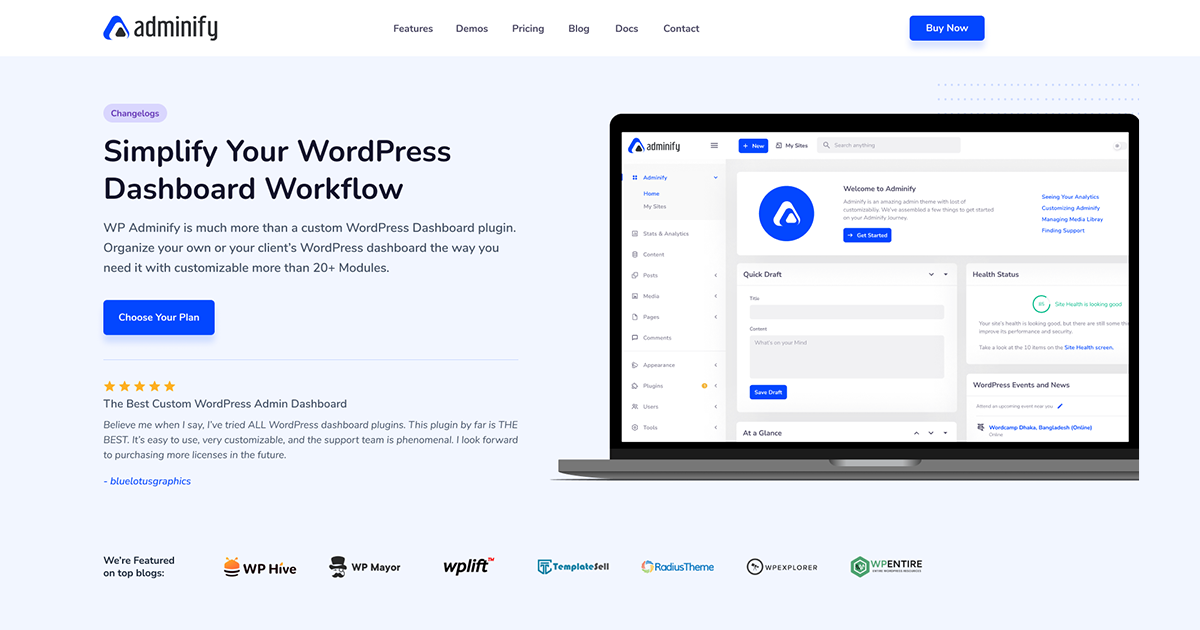
WP Adminify is a powerful, lightweight WordPress plugin that enhances your admin dashboard, offering a sleek, customizable interface. With features like dark mode, menu editor, and activity logs, it simplifies management, boosts productivity, and adds a touch of elegance to your WordPress experience, making it a quintessential tool for developers and site owners alike.

How to download WP Adminify

Unlimited Access

Subscribe for only €10.90

Or

Get this product only with unlimited updates

Already included languages : EN

We are not affiliated with WP Adminify nor its developers or owners. Please read the full disclaimer in footer.

HOW IT WORKS

Auto updates with Club WPress plugin

Check how to install and update your WordPress plugins and themes in ONE CLICK directly from your Dashboard.

ClubWordPress Updater Plugin

Core Features of WP Adminify

  • Dashboard Widgets: Customize and manage your WordPress dashboard widgets for a personalized experience.
  • Admin Columns: Enhance the WordPress admin columns to display additional information and improve data management.
  • Menu Editor: Easily customize the WordPress admin menu to suit your workflow and preferences.
  • Activity Logs: Keep track of all user activities within the WordPress admin for better security and monitoring.
  • Login Customizer: Personalize the WordPress login page with custom designs and branding.
  • Admin Notices: Manage and customize admin notices to reduce clutter and improve focus.
  • Admin Bar: Modify the WordPress admin bar for a cleaner and more efficient interface.
  • Folder Structure: Organize media files with a folder structure for easier management and retrieval.
  • Admin Pages: Create custom admin pages to add additional functionality or information to your WordPress site.
  • Dark Mode: Enable a dark mode for the WordPress admin interface to reduce eye strain.
  • Google Pagespeed Insights: Integrate Google Pagespeed Insights to monitor and improve website performance directly from the admin panel.
  • Post Duplicator: Easily duplicate posts and pages for faster content creation and management.
  • Quick Menu: Access frequently used admin pages and settings quickly through a customizable quick menu.
  • Server Information: View detailed server information and performance metrics directly from the WordPress dashboard.
  • Custom CSS/JS: Add custom CSS and JavaScript to your WordPress site without modifying theme files.

List of improvements in WP Adminify version 4.2.15

  • = Do I need coding skills to use it? =
  • No coding required. Adminify provides a point-and-click settings interface. Custom CSS and JavaScript fields are available for developers who want additional control.
  • = How do I get support? =
  • [Contact us here]( Pro users receive priority support.
  • = Where do I report security bugs found in this plugin? =
  • Please report security bugs found in the source code of this plugin through the [Patchstack Vulnerability Disclosure Program]( The Patchstack team will assist with verification, CVE assignment, and notifying the plugin developers.
  • == Source Code ==
  • This plugin uses compiled and minified JavaScript and CSS files built with webpack and npm.
  • The full unminified source code is publicly available at: **
  • To build from source:
  • 1. Clone the repository
  • 2. Run `npm install`
  • 3. Run `npm run build`
  • == External services ==
  • Adminify relies on the following third-party / external services. Each entry describes what the service is, what data is sent, when it happens, and links to the provider’s terms and privacy policy.
  • **Freemius**
  • Adminify uses the Freemius SDK to handle plugin licensing and updates (and, for the premium version, account management). Validating a license or checking for updates sends your license key, site URL, basic environment details (WordPress and PHP versions) and the plugin version to Freemius. Any anonymous usage data is shared only if you choose to opt in.
  • Triggered: on activation, license actions and update checks.
  • [Freemius Terms]( | [Freemius Privacy Policy](
  • **Optional usage diagnostics (Pixar Labs)**
  • This is OFF by default. Only if a site administrator explicitly opts in by clicking “Allow” on the “What we collect” admin notice does Adminify send the administrator email address and basic, non-sensitive site information (for example WordPress version, active plugins and site name) to help us understand how the plugin is used and improve it. Nothing is sent unless you opt in.
  • Data sent: administrator email and basic site information — only after you click “Allow”.
  • Triggered: only on the explicit “Allow” opt-in; never automatically.
  • [Pixar Labs Terms]( | [Pixar Labs Privacy Policy](
  • **Google Fonts (optional local font hosting)**
  • When you select a Google font and save Adminify settings, the plugin downloads the chosen font files from Google so they can be served locally from your own site (better privacy and performance). This only happens when you save settings with a Google font selected.
  • Data sent: the requested font family and weights via a standard HTTP GET to Google Fonts. No personal data is sent.
  • Triggered: when you save Adminify settings with a Google font selected.
  • [Google Terms]( | [Google Privacy Policy](
  • == Screenshots ==
  • 1. The main Adminify settings panel the control center for all customization options.
  • 2. The drag and drop Admin Menu Editor in action.
  • 3. The Login Page Customizer (Loginfy) interface.
  • 4. WordPress admin security settings: custom login URL, redirects, and more.
  • 5. Media Library Folders organizing files with a drag-and-drop folder system.
  • 6. The White Label settings page showing admin footer branding options.
  • 7. The module settings page showing available addons such as Activity Logs.
  • == Changelog ==
  • = Adminify 4.2.15 (22-06-2026) =
  • Fixed: Fluent Support (and other hash-router SPA plugins) Tickets/top-bar menu got stuck on infinite loading inside the Adminify admin UI iframe.
  • = Adminify 4.2.14 (19-06-2026) =
  • Fixed: Resolved an update issue that could cause an error in some setups.
  • = Adminify 4.2.13 (18-06-2026) =
  • Fixed: Body font typography (font-family) was not applying because the inline style output was HTML-escaped.
  • Fixed: Repeater “Add” button showed raw HTML instead of the circle-plus icon.
  • Fixed: Gutenberg post title alignment issue (title shifted to the left side).
  • Improved: Added Pro badge to the Username Changer options.
  • Improved: Default value field is now unchecked by default.
  • Added: WPML (Multilingual CMS) compatibility switching the admin language from the topbar now reloads the window so the whole admin updates.
  • = Adminify 4.2.12 (13-06-2026) =
...
>

Join Club WPress Now !

Get access to 19507 products for only €10,90 per month.

JOIN NOW

Reviews