Generic filters
Mises à jour automatiques Oui
Version 6.6.0
Mis à jour le
Virus Total Voir le rapport

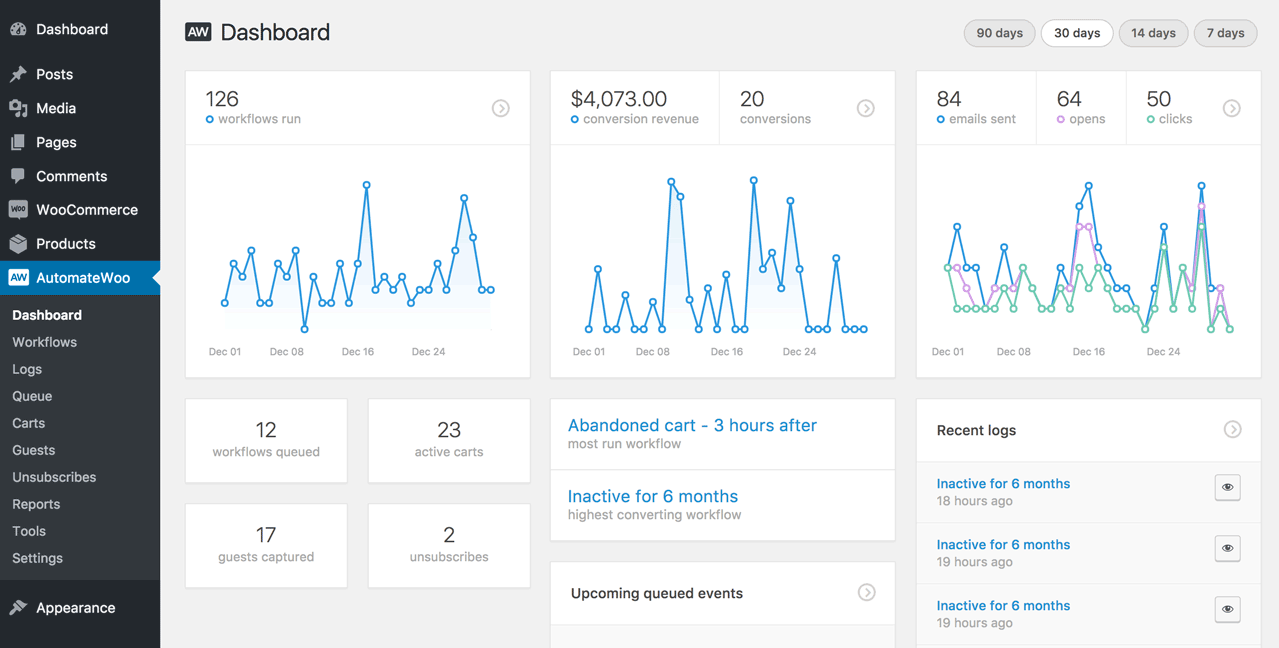
Avec WooCommerce AutomateWoo, nous automatisons, avec aisance, nos tâches de commerce en ligne. Ce plugin, ingénieux et puissant, nous permet d'optimiser nos processus, d'améliorer l'engagement client et d'augmenter nos ventes. En l'utilisant, vous découvrirez une nouvelle dimension de productivité, sans effort superflu. Adoptez-le, et transformez votre boutique en ligne.

Comment télécharger WooCommerce AutomateWoo

Accès illimité

Abonnez-vous pour seulement 10,90 €

Ou

Obtenir ce produit seulement avec mises à jour illimitées

Langues déjà incluses : EN

Nous ne sommes pas affiliés avec WooCommerce AutomateWoo ni avec ses développeurs ou propriétaires. Veuillez lire l'avis complet en pied-de-page.

COMMENT ÇA MARCHE

Mises à jour automatiques avec le plugin Club WPress

Regardez comment installer et mettre à jour vos plugins et thèmes WordPress en UN CLIC directement depuis votre tableau de bord.

ClubWordPress Updater Plugin

Fonctionnalités principales de WooCommerce AutomateWoo

  • Automatisation des e-mails : Créez et envoyez des e-mails automatisés basés sur des actions spécifiques des clients.
  • Rappels de panier abandonné : Envoyez des rappels aux clients qui ont laissé des articles dans leur panier sans finaliser l’achat.
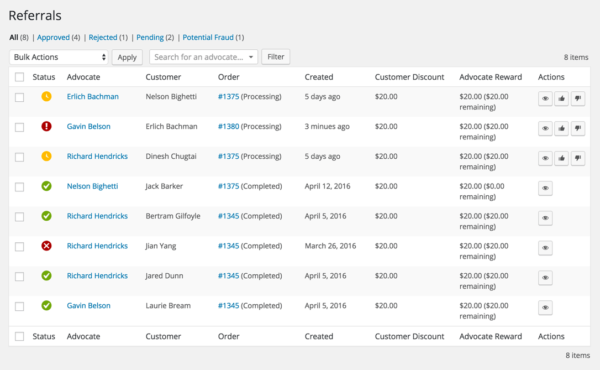
  • Récompenses et fidélité : Mettez en place des programmes de fidélité et récompensez les clients pour leurs achats.
  • Segmentation des clients : Segmentez votre base de clients en fonction de critères spécifiques pour des campagnes ciblées.
  • Suivi des commandes : Envoyez des notifications automatiques sur le statut des commandes et les mises à jour de livraison.
  • Personnalisation des workflows : Créez des workflows personnalisés pour automatiser diverses tâches de gestion de la boutique.
  • Intégration avec d’autres plugins : Fonctionne avec d’autres extensions WooCommerce pour étendre les fonctionnalités.
  • Rapports et analyses : Suivez les performances de vos campagnes d’automatisation avec des rapports détaillés.
  • Tests A/B : Effectuez des tests A/B sur vos e-mails et workflows pour optimiser les résultats.
  • Actions basées sur le comportement : Déclenchez des actions automatiques en fonction du comportement des clients sur votre site.

Quoi de neuf (Journal des modifications - Changelog) dans WooCommerce AutomateWoo version 6.6.0

  • 2026-06-25 version 6.6.0
  • Add Add click tracking to plain URLs in plain-text emails.
  • Add Apply MailPoet email template customizations to AutomateWoo emails using the default template.
  • Add Keep carts after they are emptied or purchased and track their status (Emptied, Placed, Recovered) instead of deleting them.
  • Add Offset option for the « multiple of » integer rule comparisons.
  • Add Option on the Subscription Renewal Payment Failed trigger to skip running after a successful payment.
  • Add Option to enable Mailchimp marketing permissions when adding a contact to a GDPR-enabled list.
  • Add Show an opt-out indicator badge next to opted-out customers on the queue page.
  • Add Tool to rebuild the customer last order date index so imported orders are factored into Win Back workflows.
  • Add Workflow timing option to disable rule re-validation at queued runtime.
  • Dev Add `get_typed_option()` to the settings tab abstract for opt-in typed access to option values.
  • Dev Add a `TriggerInterface` and a `NoOpTrigger` null-object, with an opt-in `Workflow::get_trigger_or_noop()`.
  • Dev Refactor dashboard chart widgets to share common markup.
  • Dev Replace remaining deprecated `Guest::get_key()` usage to stop deprecation notices.
  • Fix Honor the `woocommerce_adjust_non_base_location_prices` filter when a subscription action updates an item to a custom price on tax-inclusive stores.
  • Fix Improve plain-text email formatting of the {{ order.items }} variable.
  • Fix Prevent a fatal error and show a helpful notice when the Mailchimp API key is missing or incorrect.
  • Fix Render product images at the correct size in classic Outlook by adding explicit image dimensions.
  • Fix Stop the email editor prepending ` to and flagging variable-only link URLs as broken.
  • Fix Time-of-day workflows scheduled late in the day now reliably run on the intended day.
  • Update Require WooCommerce 10.8+.
  • 2026-06-22 version 6.5.0
  • Add Add a product categories variable.
  • Add Add an action to stagger subscription renewal payment times.
  • Add Allow admins to hide optional AutomateWoo dashboard widgets via Screen Options.
  • Add Allow order workflows to opt into running only for checkout-created orders.
  • Add Automatically pause workflows on non-production environments (staging, development, local), with an admin notice and an option to enable workflows anyway.
  • Add Confirmation prompt before bulk-deleting workflow logs.
  • Add Failed-status filter and failed-last ordering on the Queue list.
  • Add Filter the unsubscribers report by workflow.
  • Add Format option (slug or label) for the order, subscription and booking status variables.
  • Add Indicate which action and trigger fields support variables.
  • Add Inline warning when an internal WooCommerce order meta key is used in the Order Custom Field rule or variable.
  • Add Link variable variants that render HTML anchors for URL variables.
  • Add New « Customer Shipping State » and « Customer Shipping State Text Match » workflow rules.
  • Add Opt-in constant/filter to use the order or subscription billing email for the customer email variable and email actions.
  • Add Opt-outs view on the Opt-ins report so opt-in stores can see customers who opted out.
  • Add Option on the Mailchimp Update Contact Tags action to tag contacts that are not subscribed.
  • Add Option on the Subscription Payment Count rule to count payments cumulatively across previous resubscriptions.
  • Add Optional time-of-day value for the Shop Current Date/Time rule.
  • Add Quick filter support for the Customer City rule for faster bulk audience selection.
  • Add Show missing data types in queued event and log modal data summaries.
  • Add Show whether each email matches an existing customer on the Opt-out Importer confirmation screen.
  • Add Subscription Table display template option for the subscription.items variable.
  • Add Support Polylang for multilingual AutomateWoo workflow language matching.
  • Add Tool to delete all AutomateWoo data + a settings to remove all AutomateWoo data when the plugin is uninstalled.
  • Add Track and display which workflow triggered each opt-out.
  • Add Validate integration credentials when saving settings.
  • Add `course.teacher_emails` and `course.teacher_full_names` that include Sensei Pro co-teachers.
  • Add include_refunded parameter to the order.items variable to optionally show fully refunded line items, e.g. in refund confirmation emails.
...
>

Rejoignez le Club maintenant !

Accédez à 19601 produits pour seulement €10,90 par mois.

NOUS REJOINDRE

Avis